Showing posts with label Arcade. Show all posts

Wednesday, September 3, 2025

OutdateRef 200: There's a Tardis in my Star Trek


For our 200th episode Adam decided to join Russ and Nathan as we get a crash course on the Star Wars TCG and about his experience at the Star Wars Unlimited Galactic Championship 2025 in Las Vegas, then schools up about World of Warcraft gold. 


We also get Adam’s take on the Fantastic Four, Gilded Age (Squee,) and of course, this episode takes on Star Trek Strange New Worlds where there's Q Ballz and a monster ship with a stupid face. Yeah, it's weird.


–Nathan


Tuesday, November 14, 2023

Outdated References 158: Lower Deckin' & Loki


Join Adam, Russ, Nathan, & Jeremy was we discuss Star Trek Lower Decks and Loki, but before we get to the main topic, we catch up with Jeremy's odd choice of drinks during a J-Pop concert,  Adam's run in with thieving bastards, and Nathan's continuing BS with arcade machines. 

Huzzah!

--Nathan

Email

Friday, October 6, 2023

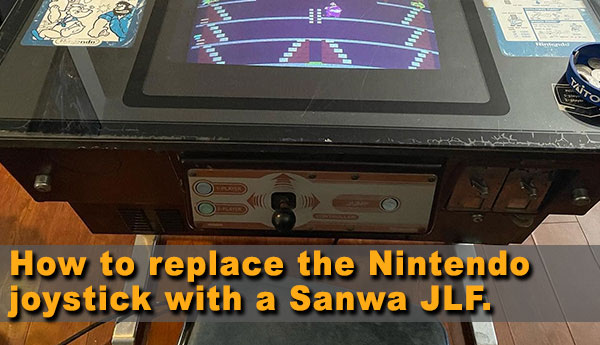
How to Install a Sanwa JLF into a Nintendo Cocktail Cabinet

I'll just outright say it: I hate Nintendo Arcade Joysticks.

I do not like their range of motion, the ball top are always too small and I just never liked the feel of using one. I always feel like I'm struggling against the sticks and even after refurbing them, they still felt stiff and clumsy as ever.  I found a great deal locally where I picked up this Popeye Nintendo Cocktail machine and brought it home. It's in pretty good shape; the price was right eventhough the monitor could use a new cap kit and the control panel is just at a weird uncomfortable angle but that's just the quirks of a very old Nintendo cocktail cabinet.

I generally veer away from Nintendo cabinets because I prefer jamma cabinets and the ablity to swap out boards, but I actually really like this game. While I would never go out of my way to defend Popeye as one of Nintendo’s better arcade games, because Donkey Kong exists,  it just has a special place in my heart that brings back great memories of when I was a kid playing the Popeye port on my Dad’s Atari 2600. 

I do have a huge appreciation to Nintendo's build quality of their cocktail cabinets. The first thing that stands out to me about this machine is how it is mostly made of metal, instead of wood like my Pac-Man cocktail. I've been on a collecting tangent where I'm picking up older cabs to fix up and learn from but hey, at least I get to play Popeye with a Nintendo joystick that always feels like a struggle, right?

Wrong.

It was brought to my attention from BirdlandArcade on Instagram that you can easily remove the Nintendo joystick and swap it out with a standard Sanwa JLF. Needless to say, that really piqued my interest and I wanted to do this mod to my cabinet. 

Here's how...

Sunday, May 30, 2021

Outdated References 86: Cornered

This week's episode we are talking about the fun episode of The Bad Batch, episode 4, Cornered. But before, Nathan complains about Solar Panels and dead AC, while Adam checked out a cool looking  local arcade in Mesa, AZ. I hope you guys will enjoy this week's episode of Outdated References Podcast!

--Nathan


Monday, February 8, 2021

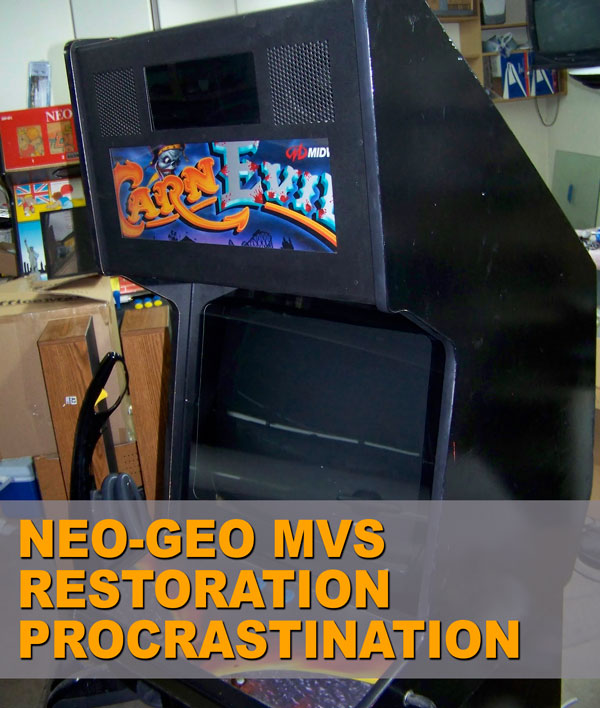
My 10 Years Neo Geo Big Red Restoration


Back in 2007, I purchased arcade cabinet that was a carcass of one of my favorite arcade machines, a Neo-Geo MVS 4 Slot. All the unique components that made it a Neo-Geo was ripped out and was converted into one of my most loathed on-rail shooters, CarnEvil. Seriously, I really do hate CarnEvil and seeing that game inside a Big Red frame made me want to restore this cabinet into is former glory. So, I paid $200 for a machine that had some much potential in becoming one of and did my best to make this into one of my most desired machines.

I dragged this machine into my garage and started my restoration. I started with removing the marquee and the control panel overlay. Sadly, I had to throw the original panel cover away because I wanted to replace it with a new Neo-Geo MVS overlay. I then removed all the light gun cabling and proceeded to fill in the holes with bondo. I pulled out the coin mech, only to literally throw it away on accident during one of my many moves. You see, I had this cab half-finished but for a good chick of time, it sat inside a storage unit because I did not have the space to work on it and during one of my many moves between apartments, the coin door was placed in a pile of scrap that got tossed out with the trash. So yeah, freaking awesome.

Thursday, October 29, 2020

Outdated References 58: No Small Parts


Adam is in town I'm happy to have him with me in the Outdated Recording "Studio" as we chat with Russ and Coral about our childhood in radio, spoiler talk about “The Boys” season 2 ending, and finally “Star Trek Lower Decks” season 1 finale spoiler talk. Wow! I love  Lower Decks! 

--Nathan

Monday, August 3, 2020

Outdated References 49: Seriously, Watch Doom Patrol...


This week we just complain about everything! Covid-19 still sucks, but at least we chatted about video games, martial arts, and some general DC TV Love. It's a short and sweet episode this week. 
Check us out!

--Nathan 


Friday, July 17, 2020

Outdated References 47


New Episode! Well sort of... We recorded this episode back in June when society is slowly starting to open, mass protests, and television. This week it's a two man show with Russ and Nathan. We chat about loss, Russ' love of "Overwatch," Nathan's Arcade Monitor, and then television like "What We Do in the Shadows," "Venture Brothers" and "Rick and Morty." So yeah, it's another hodgepodge show about nerd shit. Sweet.

-Nathan

Thursday, June 18, 2020

Organizing my CPS2 Collection


I don't have a huge collection of CPS2 carts but I have enough where they are all stuffed inside a couple of bins sitting out in my arcade room. While they are sort of organized, I want to be able to access them with ease and I wasn't sure the best cost effective way to do this. That's when I found the "CPS2 Kitbox Label Guide" by dubdubdub. 

Basically, you make custom labels for each board, print them out, then slap then on a Uline box, finally, cut down your foam and glue it down inside of the box. What you end up with is a nice, clean, organized box that can sit on a shelf for easy access. 

The easy part was to make all of my labels, then place them all on a sheet and have them printed out 6 at a time. Here's the template I made if you want to print up 6 at a time. After having them printed out at FedEx Office, I used their paper trimmer and cut out each label, because I'm cheap and I didn't want them to over charge me to cut these out.

I made up my labels then ordered my boxes and foam. Sadly, the price of the 1" foam increased $5 to $19.99 per yard and is a pain in the ass to cut with a razor blade. Next batch of foam, I will actually follow dubdubdub's suggestion of using a sharp bread knife. So for now, I only have two boxes 100% completed with 13 more to go. So every payday, I'll probably just pick up two order of foam and slowly knock these out 4 at a time every par period.

All in all, I do like having my CPS2 carts easily accessible and they do look nice on a shelf. I'll have to adjust the foam for my Hyper Street Fighter because it is a little wider and shorter than the standard B cart but all in all, I'm happy. Once I'm done with this project, I'll probably do something similar with my bare arcade PCB. If you have any suggestions, comment on this post. It would be appreciated.

--Nathan


Thursday, May 28, 2020

Building a Universal Arcade PCB Holder


I own a few arcade cabinets and with the exception of my "dedicated" Sega Naomi and SNK Candy Cabinet, I never mount boards inside my machines. You are suppose to screw the arcade PCB into the side of the arcade cabinet, if it's an North American cabinet, or onto a wood board and slide into a very compact Japanese cabinet. 

As a collector, I rotate through my arcade games frequently, and having to mount the PCBs everytime I want to play a game got tiring very fast. So here's a simple fix. By attaching a universal PCB holder to a piece of wood I can keep my PCBs secured from shorting out on the metal interior of some of my cabinets while also making them easy to move around if I'm playing the PCB on my Supergun rig. 

I wanted mine to look nice so I just purchased a bamboo cutting board from Amazon. I know this isn't groundbreaking but I'm always shocked to see fellow enthusiast running arcade PCBs all haphazardly.  Just screw the PCB Holder onto the cutting board and add rubber feet to the other side to keep the cutting board from sliding around and just like that, you made yourself a versatile tool that will help protect your arcade boards and also make playing them a lot easier. 

Enjoy!

--Nathan


Friday, March 6, 2020

Sega ST-V Cart Cases

I love displaying my arcade collection and for years, I been buying custom cases called Shockboxes for my Neo-Geo MVS carts. Southtown Homebrew have been my #1 go to site to beautify my bland MVS carts into something I can place onto a shelf and display with pride. Recently, I've been falling back into my arcade collecting and I decided to focus my attention onto my small Sega Titan Video game system (Sega ST-V) collection of carts. The ST-V arcade board set is basically a ROM cartridge based arcade level version of the Sega Saturn. So a lot of fast paced, fun, twitchy arcade games!

I've added several ST-V carts into my collection over the years and I was in need of boxing and displaying them on my shelf for organization. The ST-V cart are much smaller than SNK's Neo-Geo carts so, while I could use foam to take up the negative space inside a giant Shockbox, which I wasn't willing to do, since the Shockbox have gone up to $12 a piece. I basically had two choices: re-purposing some old EA's big Sega Genesis/Megadrive sport cases or use the Universal Combo Game Case.

Originally I used the EA Sega Genesis Sport cases, but I ended up using all of my (then) cheap Sports boxes for my Atomiswave carts. So when I when I went online to find some more cheap sports titles, I was actually a little surprised that these $1-2 sports titles nobody wanted a few years ago are now selling at $10-15 minimum. My only real CHEAP option was to buy the Universal Combo Game Case at about $1.50 each. So the choice was simple, I went to Southtown Homebrew and printed out the covers of the games I own and picked up some cases. The Universal Combo Game Case requires taking some wire cutters or a sharp box cutters to modify the inside of the case to make your Sega ST-V Cart fit. While it's not a perfect option, I like to think of it as a "close enough, why not?" option. 

I had one annoying issue with this whole process, not all of my game carts had covers to print off at Southtown and I waited patiently for, literally, years for someone to make covers for Golden Axe the Duel, Cotton Boomerang, Outlaws of the Lost Dynasty, and Astra Superstars. Because no one did, I figured I can take a crack at it. While my photoshopping skills are basic and I got really lazy on the back of the covers, I really like how these turned out. 

I will link to the both sizes for the Genesis/Megadrive case and the Universal Combo Game Case. Please feel free to improve on the design or make your own. I think I like making custom covers for the games and I can't wait to do more in the future.

--Nathan


Astra Superstars

Cotton Boomerang: 

Golden Axe the Duel


Outlaws of the Lost Dynasty

Monday, January 14, 2019

Twitching


So one of the things I decided to do this new year is to stream more and maybe one of these days, get enough followers to make a few bucks to support my gaming habit. I'm still working out hiccups on my setup, because I love to make things overly complicated for me, but I think I'm getting close to a sense of stability that I am happy with. 

One of the biggest hurdles for me is to keep myself engaged with the chat. You would think doing a podcast would help me talk but I have a hard time talking by myself. I'm one of those guys who can go all day and not say a word when I'm home alone. If it weren't for my dogs, I could probably go on days and not say a word. 

Basically, I want to focus on the lesser known titles and more obscure games and consoles, while also playing games that I love. I attempted a 3DO stream, a few weeks ago, and it was a disaster because, God those games are not fun to play, but I don't want my channel to be just stupid shit no one cares about, so I'll probably play some of my childhood favorites and also document a few projects I'm working on like building a custom "Buriki One" joysticks and a new Neo-Geo joystick.

Anyways, I'm looking for some feedback and maybe a couple of follows or fifty. 
So check out my Channel over on Twitch. it's time to break out of my comfort zone with video games. 

Enjoy my rusty playthrough of the original arcade board of  "Rival Schools: United by Fate."

 --Nathan

Wednesday, September 27, 2017

How to Change the Suicide Battery on the CPS2 Arcade Board (with video)

So this is my CPS2 battery swap article from 02.06.2009 from Pineconeattack. This is the one thing I literally do once every 5 years. If you have a lot of CPS2 boards, I strongly suggest buying the batteries in the exact quantities and hopefully you can get a price break for buying them in bulk. I hope this article will still be useful to those in need of replacing your battery. I will keep it up here for archival purpose. 

--Nathan


I’ve been collecting arcade hardware for a few years now and I’ve learned one very important thing about this hobby: knowledge is everything and the more you know the better you can preserve your growing expensive collection. You have to keep in mind that some older arcade games have the dreaded suicide battery that kills the functionality of your board when the on board battery dies. This is a big bummer for me since some of my more favorite arcade boards have this appalling flaw and as a general rule, I tend to stay away from them BUT some of the boards are easily swappable if you know what you are doing. From my experience the easiest board to swap the battery is the CP System 2 board by Capcom.

There’s plenty of write ups on forums and websites but none of them that I could find can satisfy my fetish for illustrative step-by-step walkthroughs. So with this in mind, if any of the pictures do not make any sense, then read the paragraph associated with it, hopefully that should answer most of your questions. If you still do not understand, please leave a comment so I can amend the walkthrough for future readers.

[Please note that this walk-through is based off of Razoola’s informative guide from CPS2Shock. All credit goes to him for helping out the arcade community with his informative write ups.]

WARNING:

This is a simple project if you have some technical skills. This walkthrough is as simplified as I can make it so if none of this makes any sense then please DO NOT ATTEMPT. This project will void what little warranty there may still exist for your board.  The moment the old battery is removed you have less than 1 hour before the ROM on the PCB will die.

Attempt at your own risk!

Pineconeattack (Outdated References) will not take any responsibility if you kill your board.